
PDF – automatically, quickly, accessibly.
Make complex PDFs accessible with ease – in self-service, with the original layout and an accessible structure, powered by barrierefrAI PDF Pro.

You are guided step by step through the process and receive accessible PDF output.
New: PDF Accessibility — The Ultimate Guide 2026
Upload PDF · Generate AI structure · Download accessible file – Try our tool now for free!
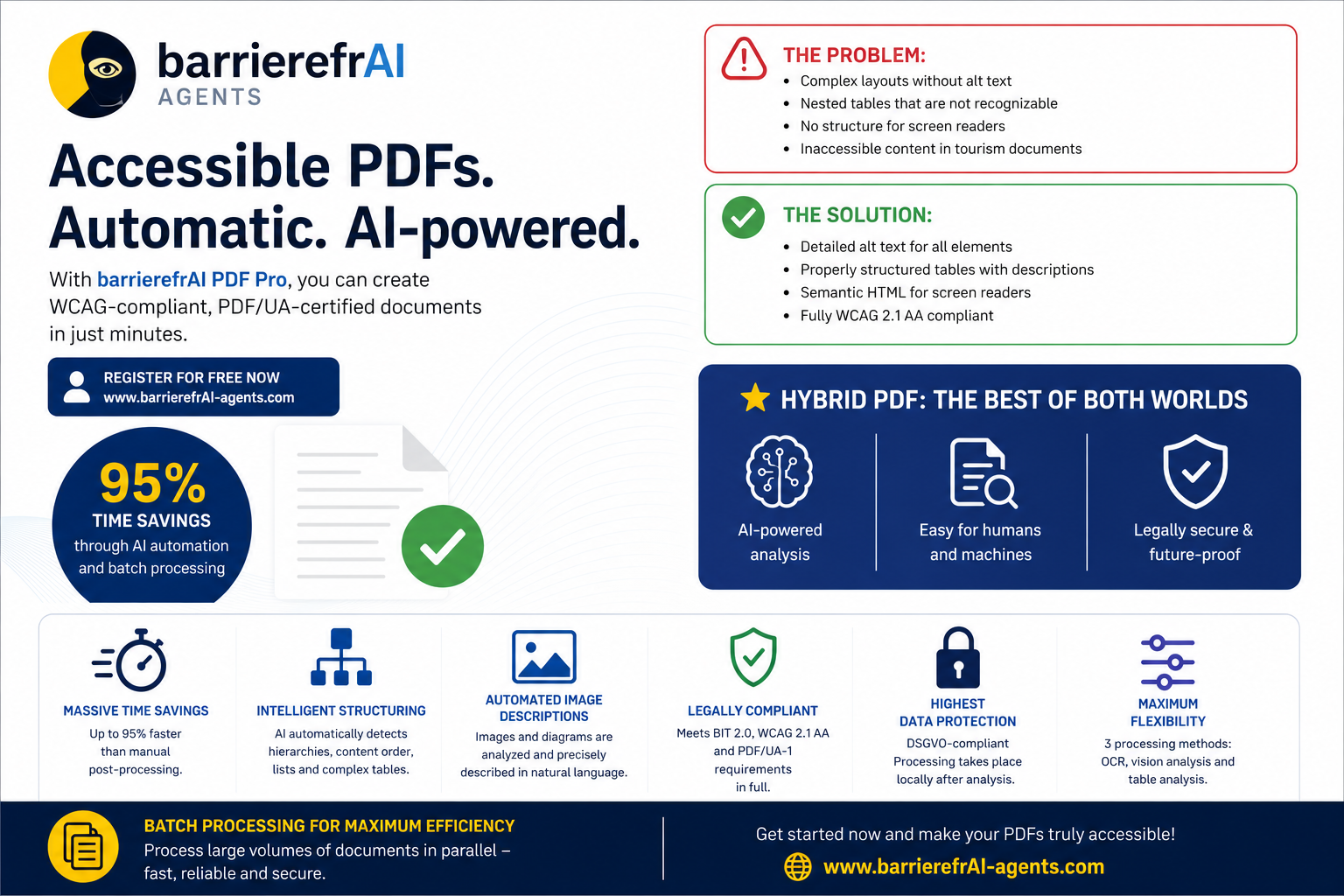
Try for free: Process 25 pages and download accessible PDF output.
PDF Pro for accessible and complex PDFs.
Verified structure. Clear delivery.
PDF Pro combines verified structure, alt text, tables and an HTML alternative in one clear workflow.
Upload PDF · Check structure · Download accessible file
How PDF Pro works
A compact one-line overview — from step 3 the path branches, depending on whether your PDF already has tags.
Clients, partners & supporters




PDF Pro brings structure, review and delivery together
The homepage now focuses on what PDF Pro does today: build a reliable, PDF/UA- and PDF/A-2a-compliant structure, handle charts and tables cleanly, and improve already-tagged documents without rebuilding them from scratch. The AI-based image analysis runs once and feeds both paths equally.
Structure and tags
- PDF/UA-compliant tag structure
- Headings, lists and captions
- Tables with header cells and cell mapping
- Bookmarks, language and artifacts
- HTML alternative version
Graphics and layouts
- Images with real alt text
- Charts with data tables as fallback
- Complex multi-column layouts
- Reading order and visual logic
- Checks for common document patterns
Existing PDFs
- Existing structure stays intact
- Missing elements are filled in
- Images get the same AI-generated descriptions as on the HTML path
- Useful for already tagged PDFs
- Targeted improvement instead of rebuilds
- Reviewable output for delivery
Technical validation plus plausibility
PDF Pro checks more than formal PDF/UA compliance. We also look at whether the accessible output matches the visible document: reading order, tables, images, links and complex layouts.
Reading order
Multi-column pages and sequences are checked for plausibility.
Tables
Header cells, scope and mapping are considered deliberately.
Images and charts
Alt text and chart fallbacks are checked for practical use.
Validation
Validated with veraPDF, PAC and Acrobat as pragmatic checks.
For sensitive and complex documents
Public documents can start right away. For internal, sensitive or heavily regulated collections, we design the processing path more deliberately.
Privacy-aware processing
For customers with strict privacy requirements, private or isolated operating models are available.
- Local or dedicated operation
- Private infrastructure instead of standard cloud
- Aligned review and release steps
Enterprise and large volumes
For large document sets, custom integrations and recurring workflows, we build the process around your environment.
- Bulk processing
- API or team workflows
- Individual consulting for complex PDFs
PDF Pro Status Overview
Status as of July 6, 2026: core capabilities including the position-accurate text layer, linked table of contents and PDF/A-2a compliance in addition to PDF/UA-1 are available; refinements continue to be expanded.
Available
- PDF/UA-compliant tag structure, checked with veraPDF, PAC and Acrobat
- Additional PDF/A-2a compliance (archival standard)
- Images as Figure elements with real alt texts
- Charts with a data table as fallback
- Tables with header cells, scope and cell association
- Lists, captions and headings
- Clickable, linked table of contents inside the document
- Search and text selection directly on the visible text – position-accurate text layer
- Repair of already-tagged PDFs at original file size – no rebuild
- Anchored bookmarks, language and PDF/UA identifier
- Companion HTML version as an alternative version
Enterprise & Processing
- Batch processing of entire document collections with a job queue
- Automatic scheduled background processing – jobs continue unattended, including overnight
- Bulk download of all results as a ZIP archive
- Activity and progress overview per job
In Development
- Page numbers, headers/footers and logos reliably tagged as artifacts, with read-out starting at the title
- Commenting directly on the visible text
- Transferring enriched tag structures into the original file size
Planned
- Dedicated footnote tagging with Note and Reference
- Automatic detection of decorative images
- Optimization for complex, multi-column layouts
- Refinement for document-title conventions
Our Blog

PDF Accessibility for Agencies: How to Launch the Service
PDF Accessibility for Agencies: How to Launch the Service With the European Accessibility Act in force since June 28,[…]

Case Study: How a City Made Its Tourism Brochure Accessible
Case Study: How a City Made Its Tourism Brochure Accessible It was early on a Monday when the question[…]
Cost-Benefit Analysis: PDF Accessibility — A Realistic View
Cost-Benefit Analysis: PDF Accessibility — A Realistic View When people hear “accessible PDFs,” they often think “expensive compliance overhead.”[…]

PDF Accessibility for Beginners: 5-Step Guide
PDF Accessibility for Beginners: 5-Step Guide You’ve heard your PDFs need to be accessible — but you don’t know[…]

Automatic vs. Manual: PDF Accessibility Compared Honestly
Automatic vs. Manual: PDF Accessibility Compared Honestly If you regularly need to make PDFs accessible, you face a fundamental[…]

PDF Accessibility — The Ultimate Guide 2026
PDF Accessibility — The Ultimate Guide 2026 PDFs are everywhere — in every government file, in every online shop[…]